
Ask your data anything.  Get numbers you can take to the board.
Ask questions in plain English and get answers built on the metrics your team has already agreed on. Save a response to a dashboard and share it around. Everyone works from the same numbers.



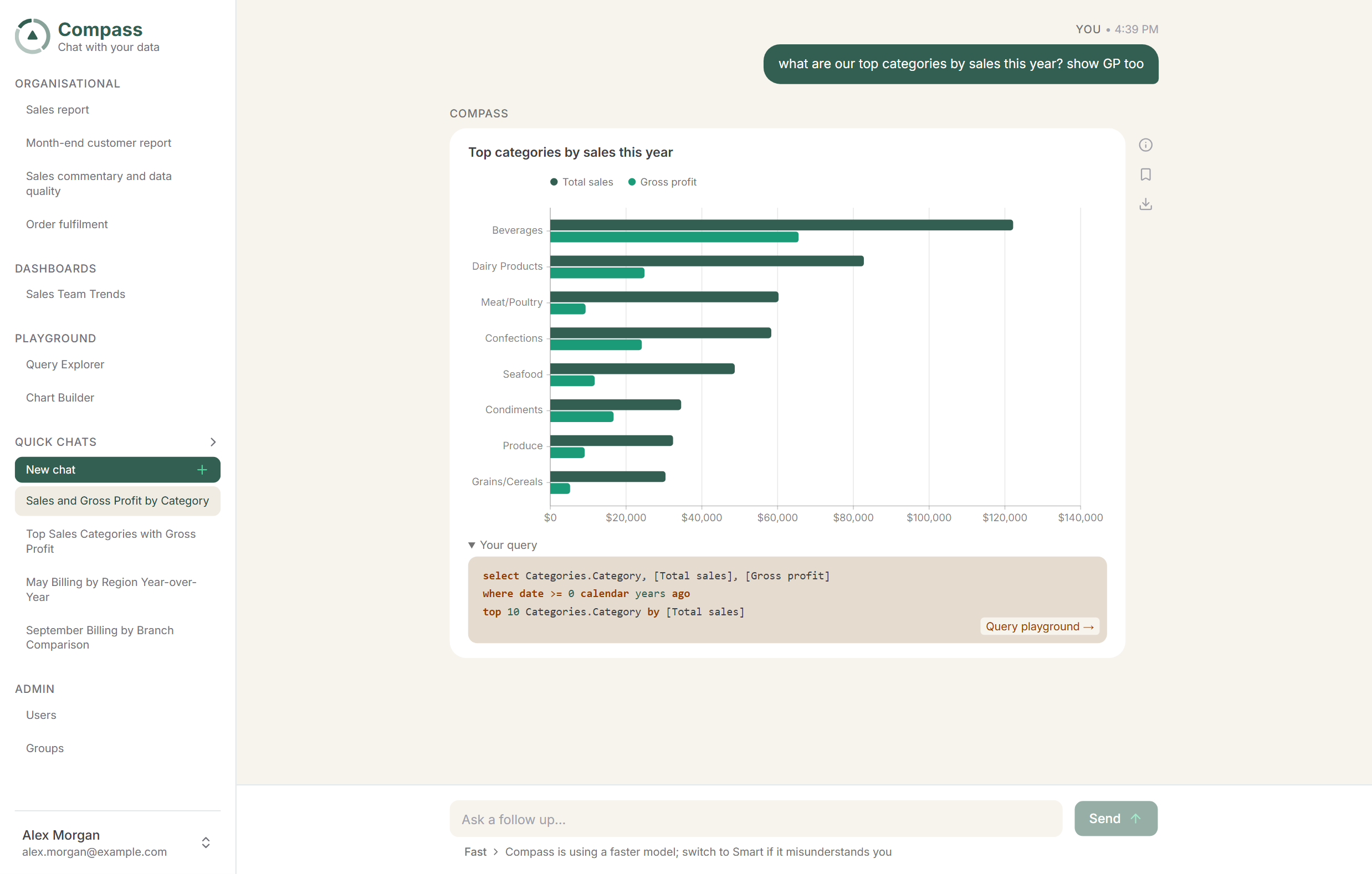

Chat, Ops Weekly and the September board report all agree.

Ask it the way you’d ask the person who knows.
You don’t have to navigate a query builder or think hard about filtering, just write your question the way you’d say it in a meeting.
Compass works out which metrics, dates and dimensions you mean, then gives you the table or chart that answers your question.
 Gross margin %
 1 Oct 2025 to 30 Sep 2026
 Completed orders only
 Core sales ERP
 Pin to dashboard
 Share
Share
Plain English questions.
Type it how you’d say it. Compass works out the metric, the dates and the filters you mean.

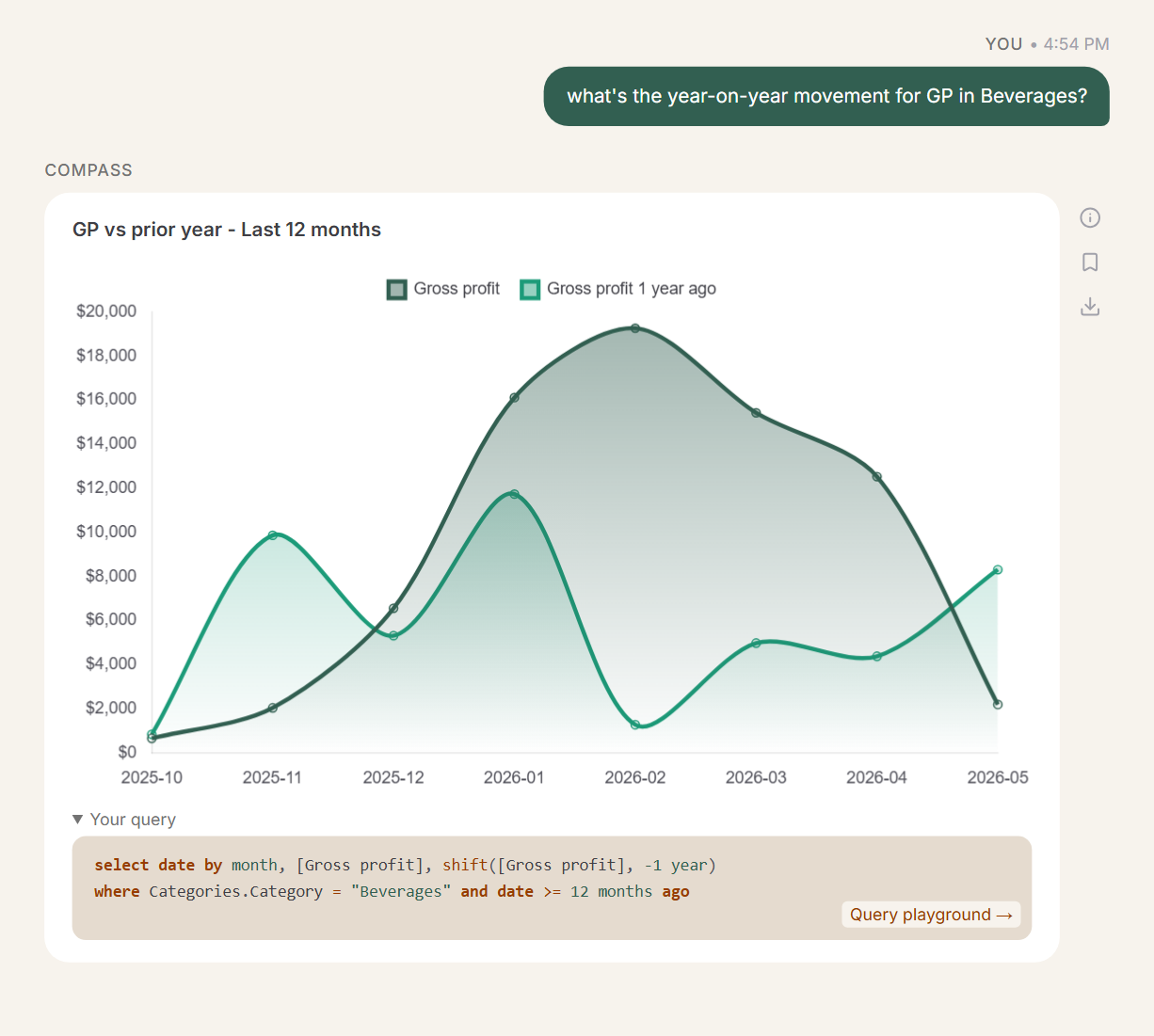
Clarify or drill in on a follow-up.
Ask “and last year?” and it knows what you were talking about. Dig in without starting again.

Numbers you can trust.
The charts you see are all built from your data & definitions; the AI is wrapped in guardrails so it can’t invent a metric.
Same question? Same number every time.
Ask a general AI tool the same question twice and you can get two different numbers, because it writes a fresh query each time. Compass works from metrics your team has agreed on up front, so chat, dashboards and board reporting always agree.


 Metric
Gross margin %
(Revenue billed − direct job costs) ÷ revenue billed
 Filter
Closed jobs only
Job status is Closed. Warranty callbacks excluded.

 1.2 pts on Q2
 Period
Q3 2026
1 July to 30 September, invoice date
 Refreshed 6 min ago
 Source
Xero + Simpro
Pulled from the source of truth for each dataset.
Refreshed 6 min ago


Changing a metric changes it everywhere.
Update a definition and every dashboard that uses it follows suit. Metrics are always consistent across the platform.
Compass tells you when it doesn’t know.
If a question needs a metric that nobody has defined yet, Compass will say so. Send it to Bearing and we’ll add it for you. Compass can’t make up its own metrics on the fly, by design.
You can see the working for every metric.
The Compass Glossary is available on all dashboards, for all metrics: definitions, calculation logic, synonyms, and dependencies. You can trace calculations back to the source.
Pin the answers you check every week and stop rebuilding reports.
Any answer pins to a dashboard in two clicks. Dashboards stay live, so Monday’s meeting opens on this morning’s numbers.
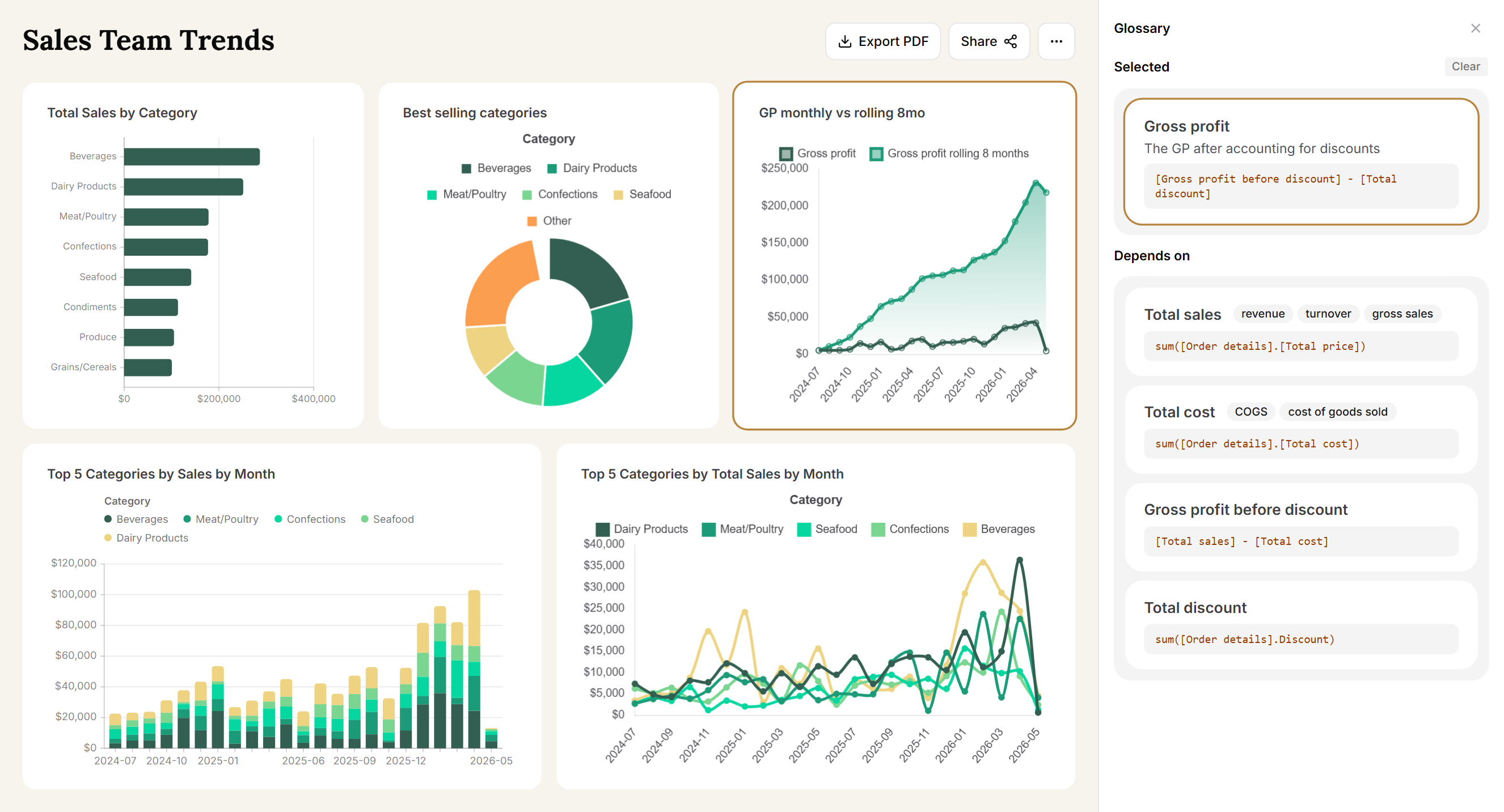
This morning’s numbers.
Dashboard data refreshes from your source of truth. Nobody exports, pastes or manually rebuilds a report.
Curated from questions.
Ask questions and save the most useful answers to a dashboard to check again.

One link for the team.
Share a dashboard by link. Each person sees what their access allows.

Views for every meeting.
Keep a board view, an ops view and a finance view of the same numbers.
Everything your team should know. Nothing they shouldn’t.
From execs to operational staff, give your team access to data that will help them make better decisions and stay on top of things. Strict access controls let you lock down who can see what, down to individual metrics.
EverythingJobsLabour hours Margin by clientFinanceMargin by clientPayroll detail
Control access by role, down to the metric.
Give the whole business answers without letting everyone see payroll info. Set permissions once per role, and every chat, dashboard and shared link enforces them.
| Metric | Leadership | Finance | Operations | Branch leads |
|---|---|---|---|---|
| Revenue billed | | | | |
| Gross margin % | | | | |
| Margin by client | | | | |
| Labour hours | | | | |
| Payroll cost | | | | |
You don’t set this up on your own. Bearing connects your systems, understands your metrics, and supports as things change.
- 01
We plug in your systems.
Financials, ERP, payroll, H&S, whatever you use. We pull all of your data into one spot & keep the syncs healthy.
- 02
We sit down with your team.
We work with your accounts & operations teams to know what metrics you care about, and how you define them.
- 03
Your team starts asking questions.
Your first dashboards come straight out of the questions people ask in week one.
this is the bit most people like best
04We stick around.
New systems, metrics and dashboards get added as you grow. Most clients keep us on.
Questions people ask us. Can’t see yours? Email Sam.
He usually replies the same day.
Do we need a data person to use it?
No. If you can ask a colleague a question, you can ask Compass. Bearing does the technical setup, and your team agree on the definitions for each metric with us.
What if our data’s a mess?
Most people’s is. Bearing pulls data from all of your systems into one database, tidies it up and runs quality checks before it goes live.
What about AI hallucinations?
Compass uses AI with guardrails, so that it can't make up a metric on the fly, by design.
Unlike normal AIs, the worst that Compass can do is misunderstand you - even then, the data and metrics are correct, it just might not be as relevant as you'd like. Just clarify in a follow up in that case, to get the answer you're looking for.
Can people see things they shouldn’t?
Never. Compass locks down security rules in several key ways.
1. We can control what datasets and metrics each user (or group) can see: operations sees job data, accounts see financials, leadership see everything.
2. We can enforce filters on the data, so e.g. a sales rep only sees stats on their clients rather than all of them.
3. The Compass AI can't hallucinate and can't override these filters, they're baked in. No amount of begging or demanding will let you see data that you shouldn't, as the AI doesn't have the ability to make those decisions.
Does it work if our data isn’t all in one place?
Of course - that's the most common case. The first step we take is to pull the data in from every system you care about: ERP, financials, H&S, etc.
We'll even build you mini apps to track data that used to be in spreadsheets, so it's easier & more reliable to stay on top of things.
We stay on top of things to ensure your syncs stay healthy and you're always working with up-to-date data.
How long does it take to get going?
We can set you up with a demo on your data in a few hours. Actually going live depends on where your data lives and how much you have. We can talk through this on the intro call and give you a ballpark estimate.
Bring us the question that takes your team hours to answer.
Book 30 minutes with Sam and we’ll show you how Compass would answer it. If you like what you see, then we’ll set up a demo on your own data.
Sam, Founder · 30-min call